Zano MCP: give your AI agent eyes on a privacy blockchain

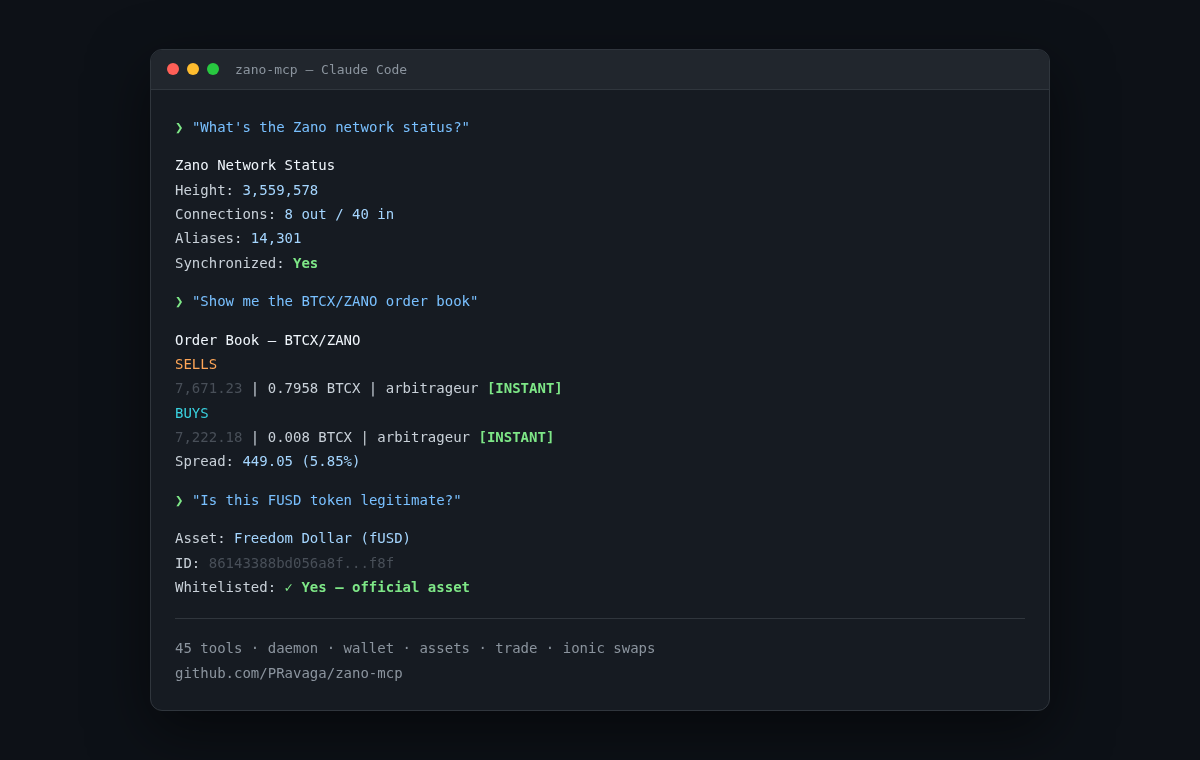
If you use Claude Code, Cursor, Windsurf, or any MCP-compatible AI tool, you can now connect it directly to the Zano blockchain. No wrapper scripts, no manual RPC calls. Add a config block and your agent gets 45 tools for querying blocks, checking wallets, managing assets, and trading on the DEX.
This post covers the setup, the security model (your wallet password never touches the AI config), and the less obvious stuff like executing ionic swaps through the order book.
Contents:
- What is Zano MCP
- Setup: three tiers
- Defensive setup: keeping your wallet password away from the agent
- Staking with better uptime
- DEX trading: the unusual flow
- P2P swaps and token verification
- Built-in prompts
- Quick reference
- Getting started
What is Zano MCP
Zano MCP is an MCP server that wraps Zano's JSON-RPC APIs into tools your AI agent can call directly. It covers four domains:
- Daemon (15 tools) — blocks, transactions, aliases, assets, network status (daemon RPC docs)
- Wallet (12 tools) — balances, transfers, transaction history, staking rewards (wallet RPC docs)
- Assets (7 tools) — deploy, mint, burn, update tokens (part of wallet RPC)
- Trade (9 tools) — DEX order book, order placement, ionic swaps (Trade API docs — a separate matching service, not part of the daemon)
Published on npm as zano-mcp. Add the config block, restart your client, done.
One thing worth noting upfront: you don't need to run a local Zano node for any of this. Every tier works with a public node. Running your own daemon is optional and only matters if you want faster queries or more privacy.
Setup: three tiers
The server gates tools based on what you configure. More config = more tools. You choose how much access to give.
Tier 1: Public node (zero setup)
No daemon, no wallet, no nothing. Point it at a public Zano node and you get 17 read-only tools.
{
  "mcpServers": {
    "zano": {
      "command": "npx",
      "args": ["-y", "zano-mcp"],
      "env": {
        "ZANO_DAEMON_URL": "http://37.27.100.59:10500/json_rpc"
      }
    }
  }
}
This gives you: block explorer queries, transaction lookups, asset registry, alias resolution, DEX order books. Enough for research and monitoring.
What you can do right away:
Ask your AI: "What's the current Zano network status?"
Zano Network Status
  Height: 3,559,578
  PoS difficulty: 3,459,999,658,575,919,118,214
  Connections: 8 out / 40 in
  TX pool: 0 transactions
  Alias count: 14,301
  Synchronized: Yes
Or: "Resolve the alias @ravaga"
Alias: @ravaga
  Address: ZxCovc2TdMp9PHaVKxLjcgZHq9gnKkxakUJqeF7Ly6EUdW2wp7RMzQ4YP4W7SfF9dHT6x5QZB5tarZmghiqPeYrj2NS4jUm24
Or: "Show me the BTCX/ZANO order book"
Order Book for Pair 745 (BTCX/ZANO):

  SELLS (asks):
    7,671.23 | 0.7958 BTCX remaining | arbitrageur [INSTANT]

  BUYS (bids):
    7,222.18 | 0.008 BTCX remaining | arbitrageur [INSTANT]

  Spread: 449.05 (5.85%)
All of this works with zero local infrastructure. Just the config block above.
Tier 2: Wallet monitoring (read-only)
Add a wallet RPC endpoint. You still don't need a local daemon — a public node works fine.
{
  "mcpServers": {
    "zano": {
      "command": "npx",
      "args": ["-y", "zano-mcp"],
      "env": {
        "ZANO_DAEMON_URL": "http://37.27.100.59:10500/json_rpc",
        "ZANO_WALLET_URL": "http://127.0.0.1:11212/json_rpc"
      }
    }
  }
}
This unlocks 39 tools: everything from Tier 1, plus wallet balances, transaction history, staking rewards, asset whitelisting, and swap info. But no tool can move funds.
Tier 3: Full access
For automated trading and asset management. Adds ZANO_ENABLE_WRITE_TOOLS=true to unlock transfers, asset operations, and DEX trading. Still works with a public node.
{
  "mcpServers": {
    "zano": {
      "command": "npx",
      "args": ["-y", "zano-mcp"],
      "env": {
        "ZANO_DAEMON_URL": "http://37.27.100.59:10500/json_rpc",
        "ZANO_WALLET_URL": "http://127.0.0.1:11212/json_rpc",
        "ZANO_TRADE_TOKEN": "your_trade_api_jwt",
        "ZANO_ENABLE_WRITE_TOOLS": "true"
      }
    }
  }
}
All 45+ tools active. The agent can send transactions, place DEX orders, deploy assets, and execute swaps. The daemon URL can be a public node or your own — both work. Use this when you know what you're doing and want full automation.
Defensive setup: keeping your wallet password away from the agent
Tell your agent: "Help me connect my wallet to MCP without exposing my password."
The agent walks you through it: you start the wallet yourself in a separate terminal and type your password there. The MCP config only contains the RPC port — no password, no secrets. You do two things yourself:
- Start the wallet — the agent gives you the command, you paste it and type your password
- Add the MCP config — the agent generates it for you, no secrets in it
{
  "mcpServers": {
    "zano": {
      "command": "npx",
      "args": ["-y", "zano-mcp"],
      "env": {
        "ZANO_DAEMON_URL": "http://127.0.0.1:11211/json_rpc",
        "ZANO_WALLET_URL": "http://127.0.0.1:11212/json_rpc"
      }
    }
  }
}
If someone reads your MCP settings, they see two localhost URLs. Nothing else.
Safety guardrails
The server enforces a few things you can't accidentally break:
Wallet connections are locked to localhost. Point ZANO_WALLET_URL at a remote host and the server refuses to start. Hardcoded, can't be overridden.
Write tools are off by default. Even with a wallet connected, tools like transfer, deploy_asset, and create_order won't register unless you set ZANO_ENABLE_WRITE_TOOLS=true. Read-only by default means the agent can look but not touch.
Everything is feature-gated. No wallet URL = no wallet tools. No trade token = no DEX tools. You can't accidentally expose capabilities you didn't configure.
Full automation mode
If you want the agent to operate without any manual steps, you can pass the password to the wallet at startup. Tell the agent: "Set up my wallet for fully automatic operation."
It'll show you how to use the --password flag or a password file, and generate the MCP config with ZANO_ENABLE_WRITE_TOOLS=true. From that point, the agent can query, trade, and transfer without you touching anything. Different risk profile, but some setups call for it.
Staking with better uptime
Zano uses hybrid PoW/PoS consensus. If you hold ZANO, your wallet can stake automatically and earn block rewards. Most people do this through the desktop GUI, which means staking stops every time they close the laptop or restart the app.
A CLI wallet running on a server doesn't have that problem. It stakes 24/7 as long as it's running and synced. No special staking commands — simplewallet does it automatically when it has a balance and is connected to a synced daemon.
Let the AI set it up for you
If you know how to SSH into a VPS, the agent can handle the rest. You don't need to memorize daemon flags or wallet commands.
Tell your agent: "I have a VPS at 1.2.3.4 with Ubuntu. Help me set up Zano staking."
A cheap VPS works fine — 4 GB RAM is the recommended minimum for running the daemon and wallet together. Most $5-10/mo providers cover it.
The agent will walk you through it step by step:
- Download and extract the latest Zano release
- Start the daemon and wait for it to sync (it'll check progress for you)
- Create or restore a wallet in RPC mode
- Verify the wallet is synced and staking
- Set up the MCP config so it can monitor everything going forward
You handle the SSH session and type your wallet password when prompted. The agent generates the commands, explains what each one does, and checks that everything is working. Once it's running, you can close the SSH session — the daemon and wallet keep staking.
Monitoring
After setup, you just ask in plain language:
- "How's my staking going?" — the agent checks your balance, recent rewards, and wallet sync status
- "How much did I earn this week?" — pulls staking history with timestamps and amounts
- "Is my wallet still online?" — confirms the wallet is connected and at the current blockchain height
No dashboards to check, no commands to remember. The agent reads the data through MCP and tells you what's happening.
Why bother
If your desktop wallet runs 8 hours a day, you're staking 33% of the time. A server wallet runs 24/7 — roughly 3x more staking opportunities. PoS block selection depends on your balance and coin age, but being online is the baseline requirement. You can't earn rewards from a closed laptop.
DEX trading: the unusual flow
Zano's DEX doesn't work like Uniswap. There are no liquidity pools. It uses ionic swaps: trustless atomic exchanges between two parties, matched through an order book. The order matching is handled by the Zano Trade API, a separate service from the daemon. The MCP server talks to both.
"I want to buy some FUSD"
That's all you need to say. The agent takes it from there:
- Pulls the FUSD/ZANO order book and shows you available prices
- Authenticates your wallet with the Trade API (signs a message with your key, gets a session)
- Places a buy order at the price you agree on
- Watches for a match, then executes the atomic swap
You see the order book, pick a price, and confirm. The agent handles the authentication, order placement, swap proposal, and settlement. If there's an instant seller available, the whole thing can complete in under a minute.
"Show me the FUSD order book first" — sure:
Order Book for Pair 643 (FUSD/ZANO, 18 orders):

  SELLS (asks):
    0.1124 | 5,000 FUSD | marketshaker [INSTANT]
    0.1132 | 1 FUSD | segazanoqa
    0.125  | 24 FUSD | pavanb

  BUYS (bids):
    0.1153 | 1 FUSD | circles
    0.1082 | 4,929 FUSD | marketshaker [INSTANT]
    0.1062 | 1,000 FUSD | arbitrageur [INSTANT]

  Spread: ~3.7%
"Buy 500 FUSD from marketshaker at 0.1124" — the agent places the order, matches, and settles.
What's actually happening under the hood
On most DEXes, you swap against a pool. On Zano, you swap directly with another person through an atomic on-chain operation:
- Both sides place orders on the book with overlapping prices
- The Trade API creates a "tip" — a match notification
- One side generates an encrypted swap proposal that locks the terms
- The other side accepts — the transaction settles on-chain, both parties receive their assets atomically
No intermediary holds funds at any point. The swap either completes fully or doesn't happen at all.
When you trade against a bot, the bot usually acts first (it generates the proposal), so you end up as the Finalizer — which is actually the better position. The counterparty already committed, and your agent just confirms.
Watch out for phantom liquidity
Not all orders on the book will actually fill. If someone placed an order through the desktop wallet but isn't running a trading bot, the order shows up and will match. But when the swap proposal arrives, nobody's home. It times out after about 3 minutes.
Tell your agent: "Only show me instant orders" — the [INSTANT] flag marks orders with active bots behind them. Those fill reliably.
P2P swaps and token verification
Beyond the DEX, you can do direct peer-to-peer ionic swaps — no order book, no Trade API. Just two wallets exchanging assets atomically. And this is where having an AI agent really pays off.
"Someone sent me a swap proposal, is it safe?"
Paste the hex into the chat. The agent inspects it and tells you exactly what's being exchanged: what you'd send, what you'd receive, and which asset IDs are involved.
This matters because there have been scam cases on Zano. Anyone can deploy a token with any ticker — someone can create a fake "FUSD" or even a fake "ZANO" with a different asset ID. The ticker looks right, the amount looks right, but the asset is worthless.
The agent catches this automatically. It checks each asset ID against the official whitelist and tells you whether you're looking at the real thing. The real FUSD, for example:
86143388bd056a8f0bab669f78f14873fac8e2dd8d57898cdb725a2d5e2e4f8f
A scam token calling itself "FUSD" would have a completely different ID. You can spot this yourself if you know what to look for, but if you're not sure, it's better to have the agent check.
The conversation flow
When someone offers you a P2P swap:
- "Inspect this swap proposal:
<paste hex>" — agent breaks down the terms and asset IDs - "Are these legitimate tokens?" — agent checks every asset against the whitelist
- "Accept the swap" — if everything checks out, the agent executes it
- If something's off, the agent warns you before anything happens
Works on the DEX too
The same verification applies when trading on the order book. Before the agent executes any matched trade, you can ask it to verify the assets first. "Check the tokens in this order" — and it confirms whether you're trading real FUSD or a knockoff.
On a privacy blockchain where you can't inspect the contract source like on Ethereum, this kind of automated verification is the difference between a safe trade and getting scammed.
The official whitelist is maintained at https://api.zano.org/assets_whitelist.json and currently includes ETHX, BTCX, FUSD, BCHX, TONX, and SOLX.
Built-in prompts
The server ships with pre-built prompts — shortcuts your agent can use without you spelling out the instructions:
check-network— network status reportanalyze-order-book— liquidity and spread analysis for a trading pairexplain-transaction— plain-language transaction breakdownswap-calculator— ionic swap parameter calculation
Quick reference
Tools by configuration level (all tiers work with a public node):
ZANO_DAEMON_URL only              → 17 tools (blocks, txs, aliases, assets, DEX books)
+ ZANO_WALLET_URL                 → 39 tools (+ balances, history, staking, swap info)
+ ZANO_TRADE_TOKEN + WRITE_TOOLS  → 45+ tools (+ trading, transfers, asset ops)
Environment variables:
ZANO_DAEMON_URL          http://127.0.0.1:11211/json_rpc    Daemon RPC
ZANO_WALLET_URL          (none)                              Wallet RPC
ZANO_WALLET_AUTH         (none)                              JWT for wallet RPC auth
ZANO_TRADE_URL           https://api.trade.zano.org          Trade API
ZANO_TRADE_TOKEN         (none)                              Trade API auth
ZANO_NETWORK             mainnet                             mainnet or testnet
ZANO_ENABLE_WRITE_TOOLS  false                               Unlock fund-moving tools
All variables are optional. Defaults are shown above. Running your own daemon is never required, but encouraged — faster queries and better privacy.
Getting started
# Install — nothing to install, npx handles it
# Just add the config to your MCP client and go

# For development:
git clone https://github.com/PRavaga/zano-mcp.git
cd zano-mcp
npm install
ZANO_DAEMON_URL=http://37.27.100.59:10500/json_rpc npm run dev
Works with Claude Code, Cursor, Windsurf, and any MCP-compatible client. Node.js 18+ required.
GitHub: PRavaga/zano-mcp
npm: zano-mcp